
GPT 이미지 셀카 프롬프트 모음
업로드한 인물의 얼굴과 헤어스타일, 의상, 나이와 고유한 인상을 최대한 유지하면서 다양한 일상 속 셀카 사진을 생성할 수 있습니다. 손으로 하트를 만드는 초근접 셀카, 투명한 휴대폰 케이스에 연인의 증명사진을 넣은 장면, 마트에서 장을 보며 촬영한 셀카, 다른 스마트폰으로 아이폰 화면을 촬영한 듯한 셀카까지 총 네 가지 상황으로 구성했습니다. 완벽하게 연출된 화보보다 개인 휴대폰 갤러리에 저장된 듯한 자연스럽고 조금은 불완전한 사진 표현에 초점을 맞췄습니다.
MODEL
GPT Image 2.0
RATIO
세로형 추천
FORMAT
IMAGE
프롬프트 전체 보기
04 ENTRIES 01
PROMPT 01
하트 셀카
왼쪽 인물 사진을 1번, 오른쪽 인물 사진을 2번 이미지로 첨부해 사용하세요!
POSITIVE PROMPT
Create a single photorealistic extreme close-up smartphone selfie using the two uploaded reference photos. [INPUT ASSIGNMENT] * Image 1: absolute identity reference for the person on the LEFT * Image 2: absolute identity reference for the person on the RIGHT * Use Image 2 only as a loose reference for the intimate, tightly cropped mood Use each image only for its assigned person. Never blend, average, swap, merge, or transfer facial features, hairstyles, skin characteristics, age traits, or identity cues between them. [IDENTITY — HIGHEST PRIORITY] Preserve the maximum possible likeness of both real people. Maintain each person’s: * Eye and eyelid shape * Eyebrows * Nose and mouth shape * Face shape, jawline, and cheekbones * Facial proportions and natural asymmetry * Skin tone, texture, and identifying features * Age appearance * Hairstyle and hairline * Overall personal impression The result must look like the exact same people photographed in another moment. Do not beautify, stylize, symmetrize, reshape, rejuvenate, replace, or reinterpret either face. Do not create generic AI faces that merely resemble the references. Identity preservation takes priority over composition, hands, lighting, and image quality. [OUTPUT] * Single vertical 4:5 image * Generate at 1088 × 1360 and resize to 1080 × 1350 if needed * Extreme close-up, ultra-tight crop * No border, collage, interface, text, logo, or watermark [COMPOSITION] Create an intimate front-camera couple selfie with both faces pressed naturally close together. * Image 1 person on the LEFT * Image 2 person on the RIGHT * Faces and hands fill almost the entire frame * Both faces extend beyond the outer frame edges * Foreheads, cheeks, and chins are strongly cropped * No complete face, shoulders, or upper body * The crop should feel slightly awkward, spontaneous, and too close At least one eye from each person must remain clearly visible. For the left person, show mainly an eye and a small amount of cheek or jawline. For the right person, show mainly an eye and a natural portion of the lips or mouth. Full noses and nostrils must remain outside the frame or hidden. Only a very small suggestion of a nose bridge or side contour is allowed. The mouth must not be completely covered. [HAND HEART — MAIN ELEMENT] The two people form one large heart together using exactly one hand each. * Use the index and middle fingers from both hands * Hands meet slightly above the center of the frame * The heart is intentionally imperfect and slightly asymmetrical * Hands are only a few centimeters from the camera * Hands appear substantially larger than the visible face areas * The finger heart crosses and dominates the frame At least one real, correctly connected eye must appear inside the heart opening. Do not create a duplicated, detached, floating, or artificial eye. The hands must overlap the faces naturally, but they must not hide both subjects’ visible eyes or completely cover the mouth. Maintain realistic fingers, joints, nails, palms, and wrists. Use exactly two hands in total. No extra, missing, fused, duplicated, disconnected, or unnaturally bent fingers. Keep the hands youthful and natural, without exaggerated veins, wrinkles, loose skin, or plastic smoothing. When applicable, render the female subject’s fingers naturally slender without distorting anatomy. [EXPRESSION AND GAZE] Both subjects look directly into the front-facing camera, not at the hand heart. Use neutral, slightly tired, relaxed expressions with a quiet and intimate couple atmosphere. Avoid wide smiles, laughter, duck faces, exaggerated cuteness, dramatic romance, model expressions, or influencer posing. [LIGHTING AND COLOR] Use dim, medium-low indoor lighting: * No flash * Soft, uneven illumination * Natural shadows * Eyes remain readable * Hands may be slightly brighter because they are closer to the camera * Low saturation * Slightly faded, neutral-to-cool color balance * Minimal warmth * Restrained contrast Avoid studio, beauty, cinematic, neon, rim, or dramatic colored lighting. [CAMERA LOOK] Simulate a genuine iPhone 6s front-camera photograph: * Low effective resolution * Slight blur and soft focus * Mild handheld motion softness * Weak fine-detail reproduction * Mild digital noise * Subtle JPEG compression artifacts * Limited dynamic range * Minor wide-angle distortion * Slight exposure and white-balance inconsistency * Ordinary older-smartphone processing The eyes and identities must remain recognizable despite the softness. The photograph should feel naturally low-quality, not artificially degraded. [BACKGROUND] Show almost no background—only dim, indistinct, blurred indoor shapes. The background must not attract attention. [FINAL CONSTRAINTS] The result must feel like a private, spontaneous, imperfect couple selfie saved in a personal phone gallery. It must not look like: * DSLR or professional portrait photography * Fashion or advertising photography * A beauty-filter selfie * A studio recreation * A clean digital composite * A polished AI render The result is a failure if: * Either identity is blended, altered, or replaced * A complete face or full nose is visible * Either person has no visible eye * No eye appears inside the heart * The mouth is completely hidden * The hands appear smaller than the visible face areas * The heart is perfectly symmetrical or professionally posed * The fingers or hands are anatomically incorrect * The image appears sharp, HDR-processed, heavily retouched, cinematic, or flash-lit
 02
PROMPT 02
폰 케이스에 내 증명사진
투명 폰 케이스가 보이는 셀카(1번 이미지)와 삽입할 증명사진(2번 이미지)을 순서대로 첨부하세요!
POSITIVE PROMPT
Edit Image 1 by placing the ID photo from Image 2 inside the transparent phone case visible in the mirror selfie, as if the person in Image 1 is carrying their partner’s printed ID photo inside the case. Input assignment Image 1: base image to edit Image 2: identity photo to insert into the phone case Main task Insert Image 2 as a very small printed ID photo inside the clear phone case on the phone in Image 1. It must look like a real physical photo tucked inside the transparent case, not like a digital overlay or flat sticker. Placement and size Place the photo where it is clearly inside the phone case Do not cover or touch the camera lenses Keep it very small: about the size of 1 to 1.5 camera lenses It must never look large or dominate the phone back Part of the inserted photo should be naturally occluded by the fingers holding the phone Realism requirements Make it look like a real printed ID photo under a transparent case Add a subtle soft edge shadow around the photo Match the lighting, gloss, reflection, and surface response of the phone and case The finger lighting and skin-tone bounce should naturally affect the inserted photo surface Add realistic tiny reflections and soft shadow density where the fingers come close to the photo The inserted photo must sit flush with the phone surface and feel physically inside the case, not raised above it Match the image quality and texture of the inserted photo to the base image so both feel consistent Preserve Keep Image 2 as unchanged as possible Preserve the original phone, phone case, phone color, and overall appearance of Image 1 Keep the rest of Image 1 unchanged unless necessary for the insertion realism Do not Do not make the inserted photo look pasted on top of the fingers Do not make it look like a flat artificial sticker Do not let it protrude or feel visually separated from the phone surface Do not cover the camera lenses Do not change the phone body or case color Do not enlarge the inserted photo beyond the required tiny size Goal The final result should convincingly show that the person in Image 1 is actually carrying a tiny printed ID photo of their partner inside a transparent phone case.
 03
PROMPT 03
마트 셀카
남성 사진을 1번, 여성 사진을 2번 이미지로 첨부해 생성하세요!
POSITIVE PROMPT
[Person Assignment] - First uploaded photo = Male - Second uploaded photo = Female [Top Priority Rule: Identity Preservation] Use the uploaded photos as the absolute identity reference for both individuals. Identity preservation is the highest priority. Priority: Face Identity > Clothing > Composition > Lighting > Atmosphere > Image Quality Maintain exactly: - Eye shape - Nose shape - Mouth shape - Face shape - Jawline - Cheekbones - Skin texture - Natural skin features - Age appearance - Hairstyle - Facial proportions - Overall impression - Expression characteristics Do not alter: - Facial structure - Facial proportions - Skin characteristics - Natural asymmetry - Unique identifying features The final image must look like the exact same real people photographed in another moment of their lives. Not AI-generated faces. Not beautified versions. Not stylized versions. Face similarity: maximum possible. [Shooting Scenario] A real couple shopping together at a supermarket. The woman is holding a smartphone and taking a casual front-camera selfie while standing beside a shopping cart. The man stands naturally next to her with a comfortable and familiar distance. The shopping cart contains realistic groceries such as vegetables, snacks, drinks, fruit, and daily necessities. The image feels like a spontaneous photo taken during an ordinary shopping trip. No posing for social media. No influencer atmosphere. Just a genuine everyday moment. [Composition] - Upper body framing - Both faces clearly visible - Faces positioned near the center of the frame - Natural smartphone selfie angle - Slightly imperfect composition - Realistic handheld framing [Expression] - Both looking directly at the smartphone camera - Warm and comfortable smiles - Relaxed expressions - Natural eye contact with camera - Genuine couple atmosphere Avoid: - Exaggerated laughter - Model-like posing - Dramatic expressions - Forced smiles [Outfit] Maintain the clothing from the original uploaded photos as closely as possible. Do not change: - Outfit style - Colors - Materials - Fit [Background] Real supermarket interior. Include: - Grocery aisles - Product shelves - Shopping cart - Store lighting - Price tags and packaging softly visible in background Background should feel authentic and lived-in, not staged. [Lighting] - Standard supermarket lighting - Soft overhead indoor lights - Realistic shadows - No studio lighting - No cinematic lighting [Camera Characteristics] Looks like a genuine smartphone selfie. Include: - Slight handheld imperfection - Mild digital noise - Natural smartphone processing - Slight focus inconsistency - Realistic lens characteristics Avoid: - HDR look - Beauty filters - Over-sharpening - Unrealistic skin smoothing - Advertisement quality retouching - Fashion photoshoot appearance [Final Goal] An authentic everyday supermarket selfie of a real couple shopping together. The image should feel like a casual photo saved in a phone gallery rather than a planned photoshoot. Most importantly, preserve the exact facial identity and overall impression of both uploaded individuals while creating a believable real-life shopping moment. image aspect ratio 4:5
 04
PROMPT 04
폰 화면 커플 셀카
첫 번째 이미지에는 남성의 얼굴과 의상이 잘 보이는 사진을 첨부합니다. 두 번째 이미지에는 여성의 얼굴과 의상이 잘 보이는 사진을 첨부합니다.
POSITIVE PROMPT
Create a single photorealistic vertical smartphone photograph using the two uploaded reference images. [INPUT ASSIGNMENT] * Image 1: absolute identity and clothing reference for the adult man * Image 2: absolute identity and clothing reference for the adult woman Use each image only for its assigned person. Never blend, average, swap, or transfer facial features, hairstyles, skin characteristics, clothing, age traits, or identity cues between them. [IDENTITY — HIGHEST PRIORITY] Preserve the maximum possible likeness of both real people, including their facial structure, eyes, nose, mouth, jawline, skin tone and texture, natural asymmetry, age, hairstyle, facial proportions, and distinctive overall impression. The result must look like the exact same people photographed at another moment. Do not beautify, stylize, symmetrize, reshape, rejuvenate, add makeup, smooth the skin, or replace either face. If another instruction causes identity drift, simplify that element and preserve the original identities. [SCENE] Create a realistic photograph of a physical iPhone displaying its active front-camera live view. Inside the live view, the man and woman are taking a close couple selfie in a dim indoor environment. The final image is not a screenshot: another smartphone is hurriedly photographing the physical iPhone screen from a slightly tilted handheld angle. The physical screen, glass reflections, and part of the phone bezel may be visible. The couple must appear only inside the camera live view. [COUPLE SELFIE] * Upper-body framing * Both faces near the center * Heads naturally close together * Comfortable, familiar couple distance * Slightly imperfect front-camera composition * Both looking directly into the camera * Soft, warm, natural smiles * No exaggerated laughter, model posing, sideways gaze, or influencer gestures The woman holds the selfie phone outside the live-view frame. She raises one long sleeve to naturally cover her nose and part of her mouth. Her eyes and eyebrows must remain fully visible. The sleeve must connect naturally to her original clothing and arm. [OUTFITS] Preserve both original outfits as closely as possible, including garment type, colors, patterns, materials, fit, layering, visible accessories, and fabric details. Do not redesign, recolor, simplify, or restyle the clothing. [CAMERA LIVE VIEW] Show a subtle and believable native iPhone Camera live-view interface. Include only minimal elements such as: * Small face-detection rectangles * A focus frame * Partial exposure or focus indicators * Subtle camera controls near the screen edges The UI must remain secondary and physically integrated into the display. No captions, usernames, notifications, social-media interface, unrelated readable text, or floating UI outside the screen. [PHOTOGRAPHED-SCREEN EFFECT] Make the final image convincingly look like one smartphone photographing another smartphone’s active screen. Include: * Fine OLED pixel or subpixel texture * Mild moiré * Glass reflections and slight room glare * Uneven screen brightness * Low-light digital and chroma noise * Slight handheld motion blur * Mildly tilted viewing angle * Perspective distortion along the screen edges * Minor focus inconsistency * Soft blooming around bright screen areas * Limited sharpness and subtle JPEG compression Apply these artifacts consistently across the physical display layer. Do not distort or blur the faces enough to reduce identity recognition. [LIGHTING AND COLOR] Use dim, soft indoor lighting with a restrained warm tone. The phone screen acts as an important light source. Include mild screen glow, natural shadows, slightly uneven exposure, and limited dynamic range. The result should look like an ordinary hurried low-light smartphone photograph. Avoid flash, studio lighting, cinematic lighting, HDR, beauty filters, skin smoothing, excessive sharpness, strong contrast, professional retouching, or DSLR image quality. [HARD CONSTRAINTS] * Image 1 controls only the man * Image 2 controls only the woman * No facial blending, averaging, swapping, or replacement * Preserve both hairstyles and outfits * Both pairs of eyes must remain clearly visible * Both subjects must look directly into the camera * The woman’s sleeve must naturally cover her nose * The final result must show a physical phone screen, not a screenshot * All camera UI must remain inside the physical display * No malformed hands, duplicated fingers, fused bodies, or distorted eyes * No watermark, captions, subtitles, advertising layout, fashion-editorial styling, or clean AI-rendered appearance [FINAL RESULT] A realistic low-light photograph of a physical iPhone screen being photographed by another smartphone. Inside the active front-camera live view, the exact same man from Image 1 and woman from Image 2 take a close, casual couple selfie. The woman shyly covers her nose with her sleeve while both look directly into the camera with comfortable natural smiles. The image should feel like an imperfect private memory from everyday life, with authentic photographed-screen artifacts and maximum identity preservation.
PDF 다운로드
프롬프트와 사용 순서를 PDF로 간편하게 보관하세요.
로그인한 회원만 받을 수 있습니다.
프롬프트 사용 가이드
모델에 맞는 입력 순서와 생성 과정을 확인하세요.
KEEP EXPLORING
RELATED PROMPTS
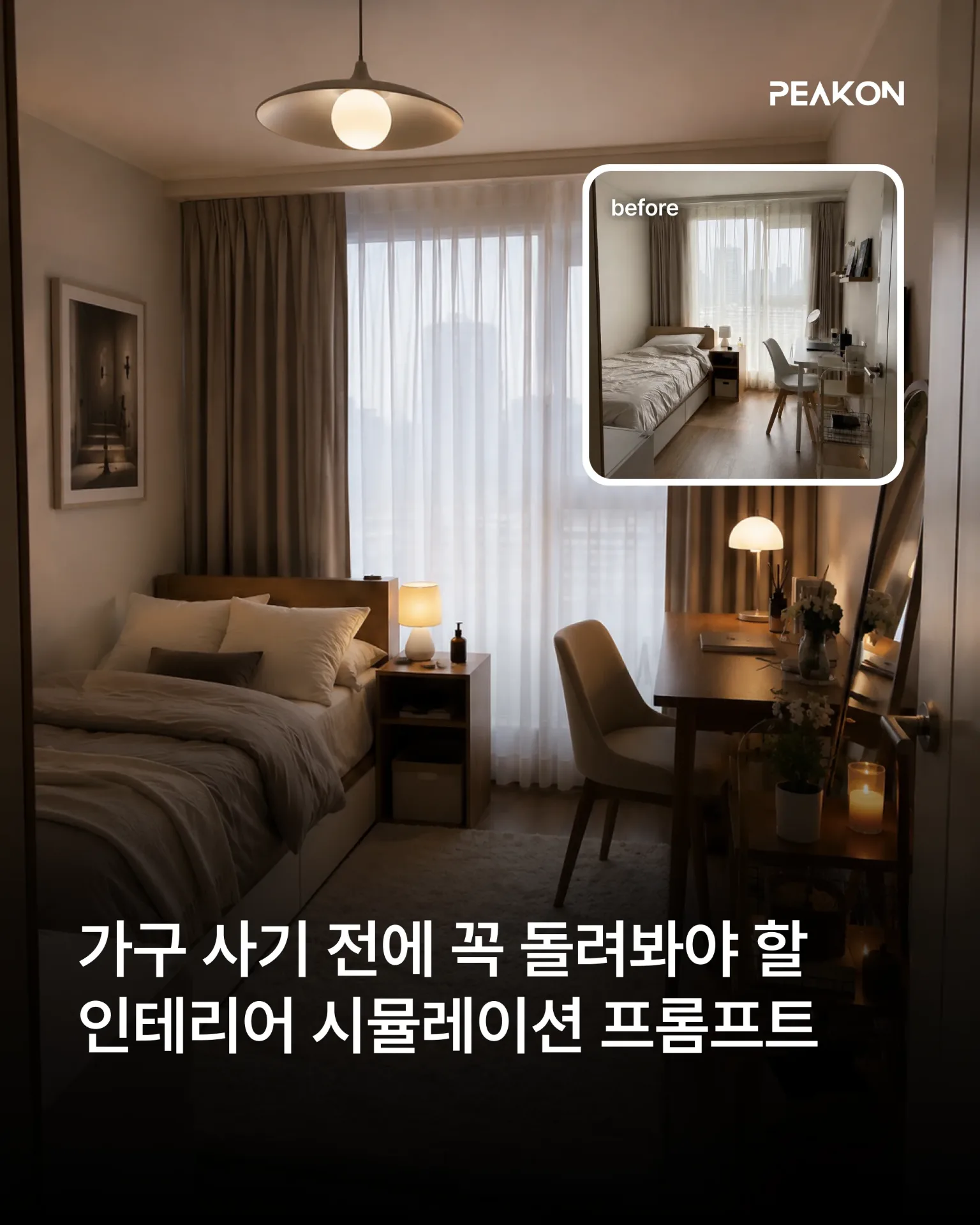
인테리어 시뮬레이션 프롬프트
인물과 가구, 소품, 공간 구조, 구도는 그대로 유지하면서 선택한 인테리어 요소만 원하는 스타일로 변경합니다. 실제 공간에서 해당 요소만 교체한 것처럼 조명과 그림자, 재질, 주변 색감까지 자연스럽게 표현할 수 있습니다.

챗GPT 나만의 펫 만들기
사용자의 취향과 말투, 업무 방식, 성격 등을 분석해 독창적인 Pet 콘셉트를 설계합니다. GPT Image로 마스터 캐릭터와 작업 중·결과 검토 중·입력 대기 중·작업 실패 상태의 에셋을 제작하고, 캐릭터 일관성과 애니메이션 품질을 검수한 뒤 Pet 등록·적용·활성화까지 요청합니다.
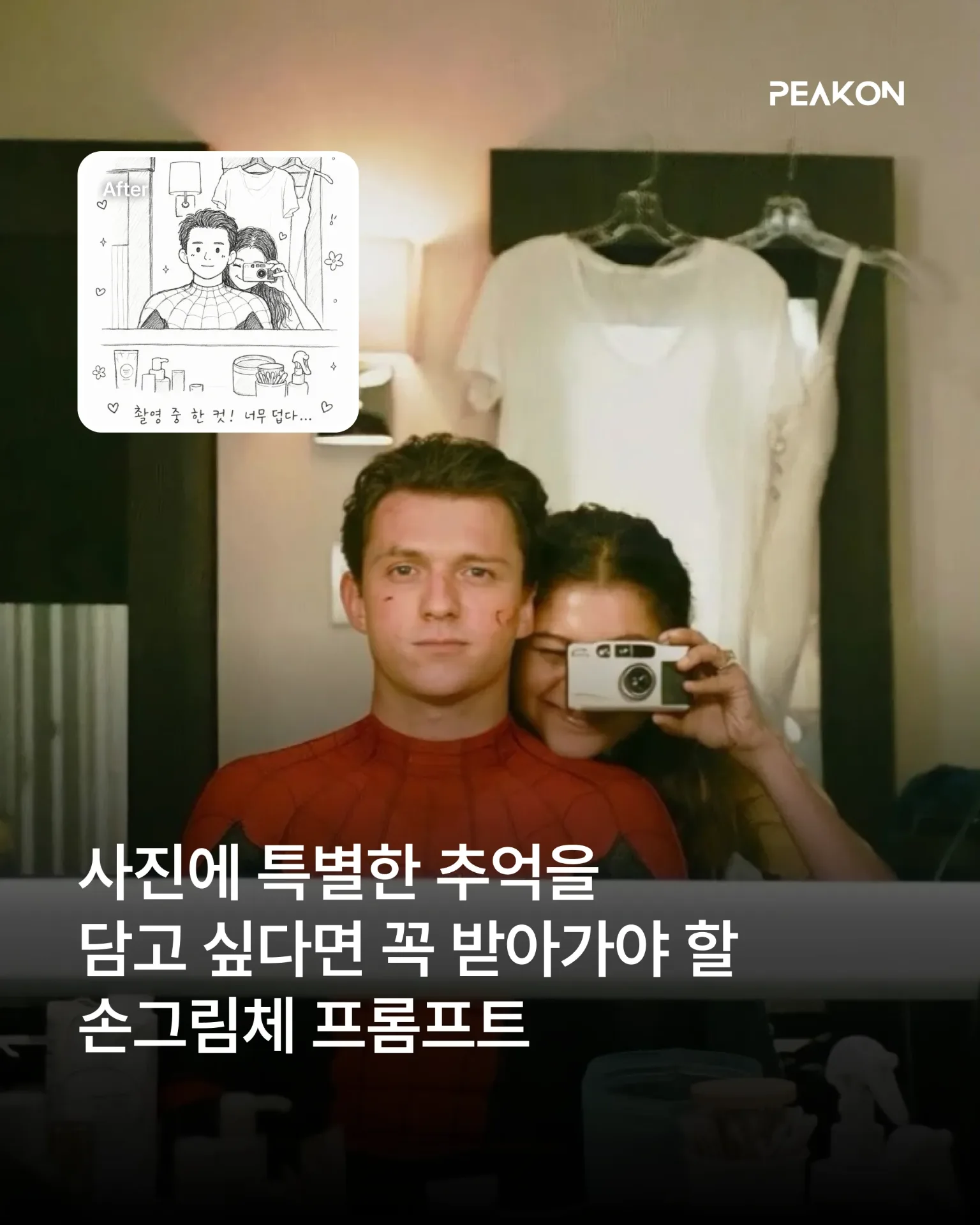
손그림체 프롬프트 모음
어린아이 낙서 그림체: 인물의 특징을 느슨하게 유지하면서 삐뚤어진 선, 어색한 비율, 거친 색칠을 활용해 3~4세 아이가 그린 듯한 크레용 그림으로 변환합니다. 흑백 그림 일기: 인물의 표정과 포즈를 귀여운 흑백 선화로 단순화하고, 날짜와 짧은 문장·손그림 장식을 더해 실제 그림 일기처럼 표현합니다.